
It has been observed time and again that students get tripped up during the JC Physics practical exams because of graph plotting. Plotting an accurate graph manually is time-consuming. If a student only realizes that his/her experimental results are less than desirable after the graph has been plotted, there may not be sufficient time for recovery. Panic kicks in, student fumbles more and then it’s game over!
The practical lab exams constitute 15% of the final JC Physics score. It is a significant weightage which can make a difference between a pass and fail grade, or even an “A” and “B” grade.
Much of the angst and fear associated with graphing can be avoided by enlisting the help of the Texas Instruments Graphics Calculator (TI GC). The TI GC is an essential tool in JC for Maths and Science subjects. Almost all JC students are required to purchase a TI GC. At SGD 130 (or higher) per pop, the TI GC is a pricey tool.
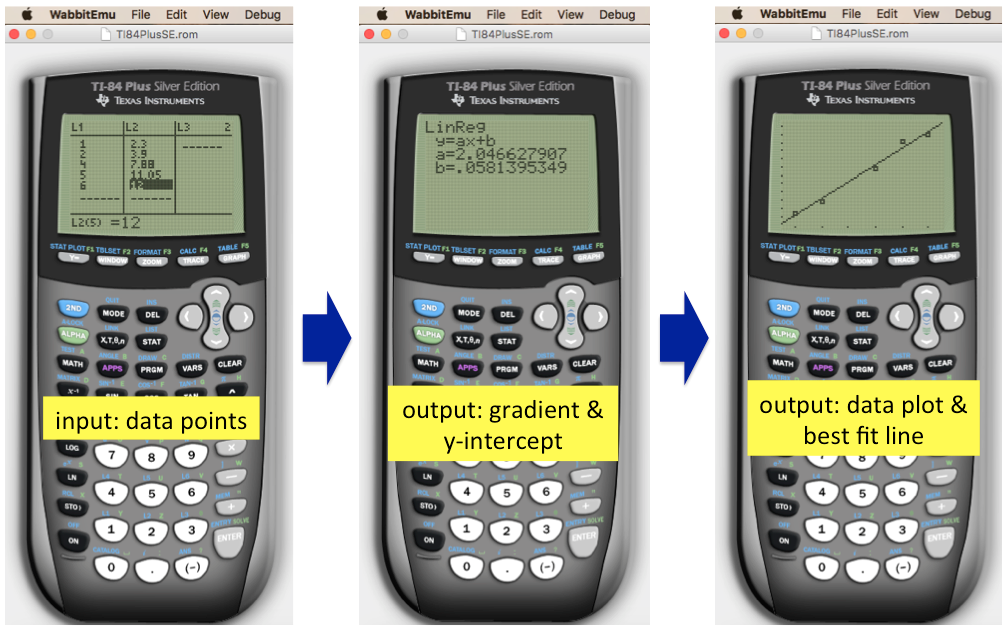
Surprisingly, not many students leverage on the graphing capability of TI GC during the Physics practical exams. Acing graph plotting is simple, just whip out your buddy – the TI GC. Before even attempting to manually plot on a graph paper, check that data points are “good” using on the TI GC. Key in the data points (6 is the typical requirement in practical exams) into the TI GC and obtain gradient, y-intercept and Best Fit Line (BFL). If the students are familiar with their TI GCs (and they should be!), the entire checking can be accomplished under 2 minutes. When everything checks out ok, use the BFL displayed on the TI GC as a guide to plot on the graph paper. That’s it, mission accomplished!
Don’t have a TI GC to practise graph plotting? No problem. You can install a free emulator on your PC or Mac to practise. The emulator works like the real thing! See the screenshots of the emulator below in action.
We have put together a step-by-step tutorial to install a TI GC emulator. Simply fill up and submit the form below to download the free tutorial. Have fun!
If you encounter “Failed to load PDF document” error message, this is likely caused by Google Chrome Viewer having some compatibility issue with Adobe. To resolve this problem, try these 3 approaches:
- make Adobe PDF Reader as the default
- extend Chrome for PDF viewer (look for PDF extension in Chrome Web Store) or
- use a different browser (e.g. Safari)
Or, simply please let us know here. We’ll email you the pdf file directly.